Hi
Has anyone else had the same problem or even found a solution.
We have some old Sonnet Echo SE1 thunderbolt2 enclosures with Decklink-cards. We have been using StarTech usb-c (TB3)→TB2-adapters. But after we updated or machines to win11 the enclosure or the adapter stopped working. I also tried with an original Apple-adapter, same result.
With the Sonnet Echo SE1 TB3-enclosure we have no problems. I tried everything google suggested but nothing helped. The machines are HP zbooks and its not a CasparCG-issue, windows doesn’t recognize the Decklink at all. Probably unralated but my Ubuntu22.04-zbook didn’t recognized the decklink either (havent tested the TB3-version with that machine).
br markus
I wonder if you have encountered a thunderbolt security issue. Because thunderbolt has access to some of the core parts of the host PC, newly connected thunderbolt devices are normally disabled by the host OS.
I had this issue when I first connected my NUC i7 host via an Apple TB3 to TB2 adapter to some Blackmagic UltraStudio 4K rack-mount interfaces that support a TB2 daisy chain connection. I could see the connection reported but Desktop video could not see the devices. I eventually found I had to track down the Thunderbolt Security interface and tell the PC to always allow the Blackmagic units to connect. When I upgraded the Decklink interfaces to be an Intensity Pro and a Decklink Duo in a Startech TB3 to PCIe box I had to re-set the security for the new interface.
I eventually allowed the Windows 10 to update to Win 11, and the TB enable stayed active. However last weekend I modified the NUC to dual boot Win 11 and Ubuntu 24 (it is my simple testbed system). I had forgotton about the thunderbold security enable and went many hours trying to find why Desktop video in Ubuntu could not see the interface. When I found the Ubuntu bolt app to set always allow the interfaces both Desktop Video and Caspar were both able to access the Decklink cards
Andy
Just out of curiosity: Where did you find these settings?
It took some time to track down a downloadable module that I think came from the Microsoft Store. I can’t recall the full detail as my install was around 7 years ago.
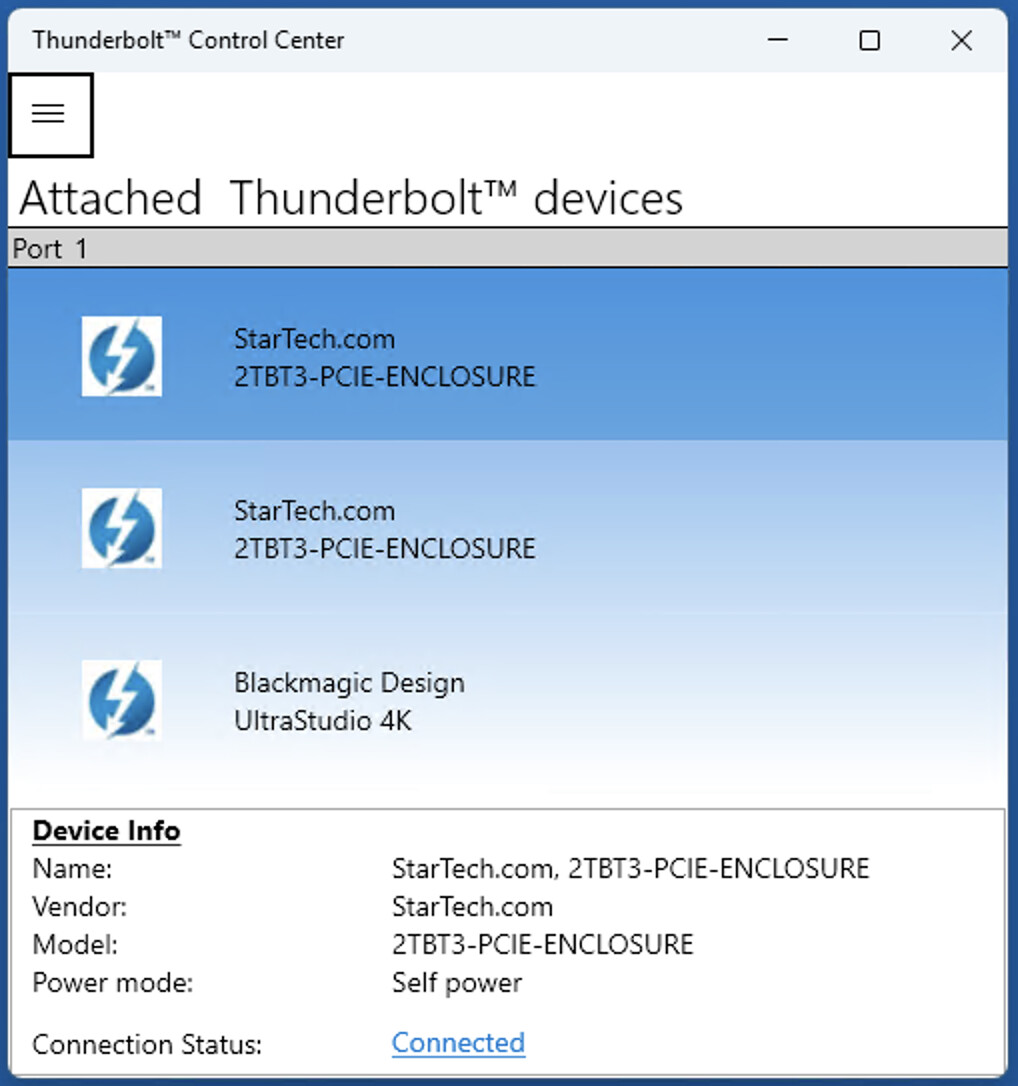
I did a quick web search that suggests the tool was a Windows 10 app and Microsoft now seem to have withdrawn the tool. Worryingly, there are also plenty of reports that suggest Windows 11 fresh installs often fail to recognise the Thunderbolt connection, treating it as USB4 and hence not communicating with the remote hardware. I found several people who have been asking Microsoft to make the app available again, so far without positive results. When run is shows a simple screen as per attached screen grab. You can inspect and change the various devices via the “hamburger” menu in the upper left corner.
I’d be very curious to see any resolution on this, as I have a BM Ultrastudio I’ve been trying to connect to a new windows 11 laptop with no luck. Same adapter as you’re using. The device doesn’t show up at all, anywhere on the laptop, even though I have no problem with my Mac, older Windows 10 laptop, and even my Mac running Ubuntu.
One complexity is the mechanisms that enable thunderbolt on each laptop or PC are slightly specific to the manufacturer of that PC.
I found a short article published in March 2025 that walks the reader through various strategies to check and configure the thunderbolt interface. That article is available here.