\
**Category:** General\
**Tags:** graphics, guide, development, template, html\
**Created:** [September 2, 2021, 8:38am UTC](https://casparcgforum.org/t/loopic-visual-tool-for-creating-casparcg-html-templates/4422 "2021-09-02T08:38:06Z")\
**Posts on this page:** 20\
**Page:** 10
**Author:**  [@tue](https://casparcgforum.org/u/tue)\
**Post date:** [January 11, 2024, 8:52am UTC](https://casparcgforum.org/t/loopic-visual-tool-for-creating-casparcg-html-templates/4422/187 "2024-01-11T08:52:04Z")
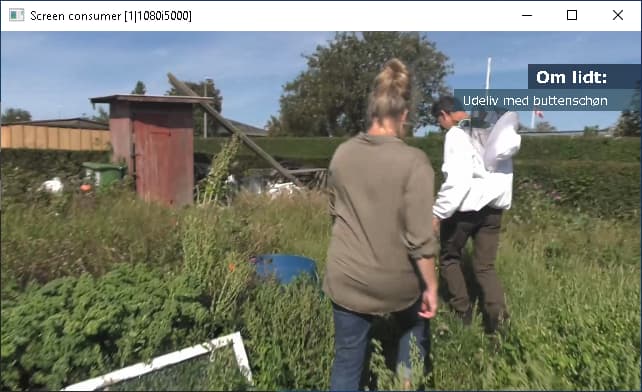
I want the boxes to adjust width,according to the text in my f0 and f1 fields.
Then I also want to mask the lower box, as the in movement starts under the top box, and I don’t want to se it before it under the top box.
I need a mask.
How to acheive that.
Best regards Tue.
---
**Author:**  [@SCAR101](https://casparcgforum.org/u/SCAR101)\
**Post date:** [January 12, 2024, 10:44am UTC](https://casparcgforum.org/t/loopic-visual-tool-for-creating-casparcg-html-templates/4422/188 "2024-01-12T10:44:56Z")
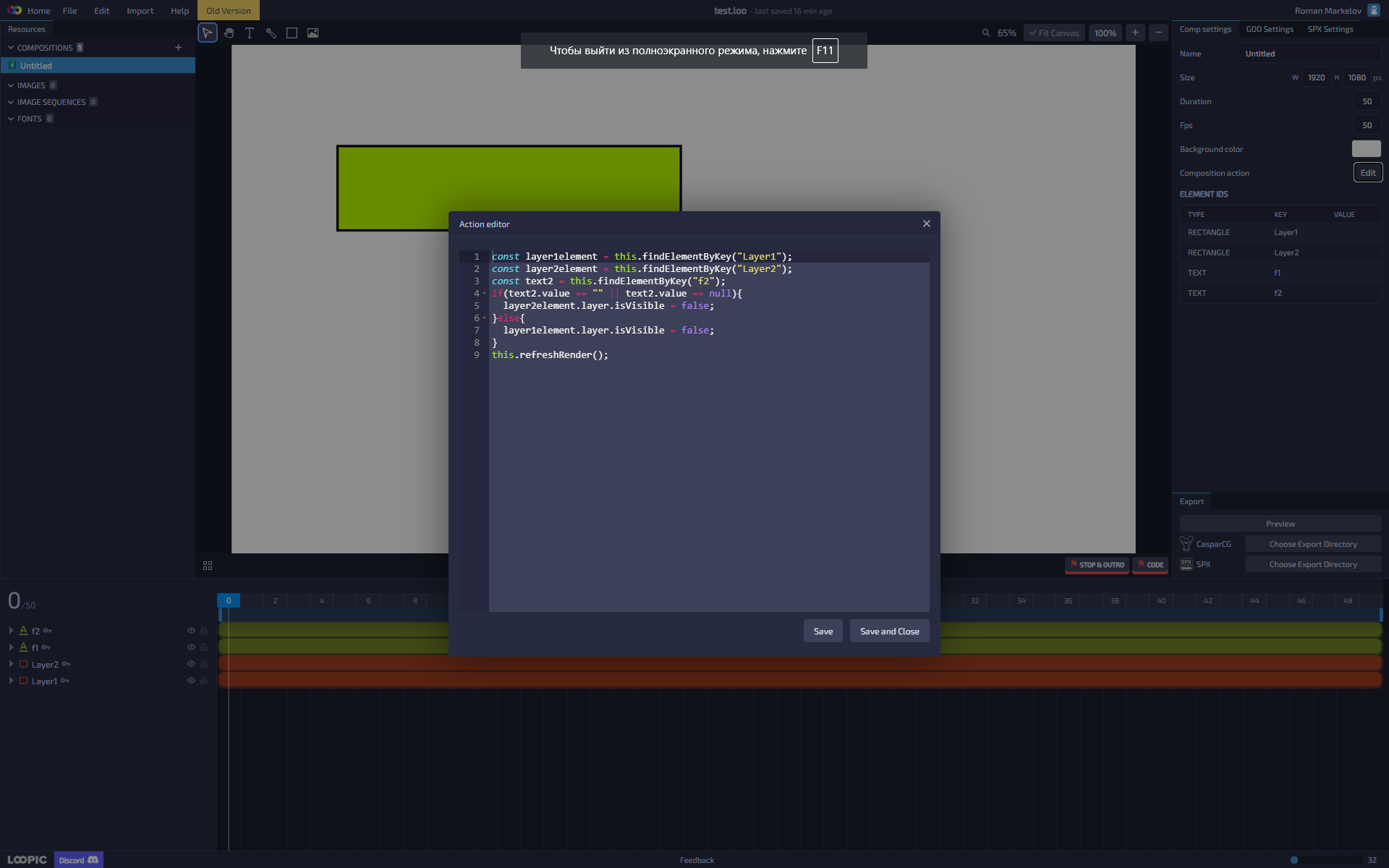
Hello, after much experimentation, I realized that `content` is not `value`. For understanding, I added a 3rd text field “f3” and after the condition is met I assign it `text3.setContent(text2.content)` and it is always empty even if I add the “f2” field with the value “qwe” to the preview. I went ahead and assigned `text2.setContent("qwe")` before the condition. And the miracle happened, the condition worked. But the problem is that I seem to need to track the value of the value that I add to the preview, and not the content that I can assign in the code.
Here is the code that works:
```auto
const layer1element = this.findElementByKey("Layer1");
const layer2element = this.findElementByKey("Layer2");
const text2 = this.findElementByKey("f2");
const text3 = this.findElementByKey("f3");
text2.setContent("qwe");
if(text2.content == "" || text2.content == null){
layer2element.layer.isVisible = false;
text3.setContent(text2.content);
}else{
layer1element.layer.isVisible = false;
text3.setContent(text2.content);
}
this.refreshRender();
```
But I need something like this:
```auto
const layer1element = this.findElementByKey("Layer1");
const layer2element = this.findElementByKey("Layer2");
const text2 = this.findElementByKey("f2");
const text3 = this.findElementByKey("f3");
if(text2.value == "" || text2.value == null){
layer2element.layer.isVisible = false;
text3.setContent(text2.value);
}else{
layer1element.layer.isVisible = false;
text3.setContent(text2.value);
}
this.refreshRender();
```
---
**Author:**  [@tue](https://casparcgforum.org/u/tue)\
**Post date:** [January 12, 2024, 10:39pm UTC](https://casparcgforum.org/t/loopic-visual-tool-for-creating-casparcg-html-templates/4422/189 "2024-01-12T22:39:06Z")
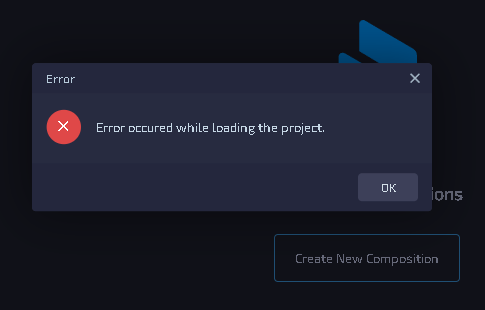
I get this error every time I try to load for example this [template](https://drive.google.com/drive/folders/1HTdMBT8kINkg5HTsjhn2OVBju0QwaE-H)
---
**Author:**  [@SCAR101](https://casparcgforum.org/u/SCAR101)\
**Post date:** [January 15, 2024, 7:16am UTC](https://casparcgforum.org/t/loopic-visual-tool-for-creating-casparcg-html-templates/4422/190 "2024-01-15T07:16:05Z")
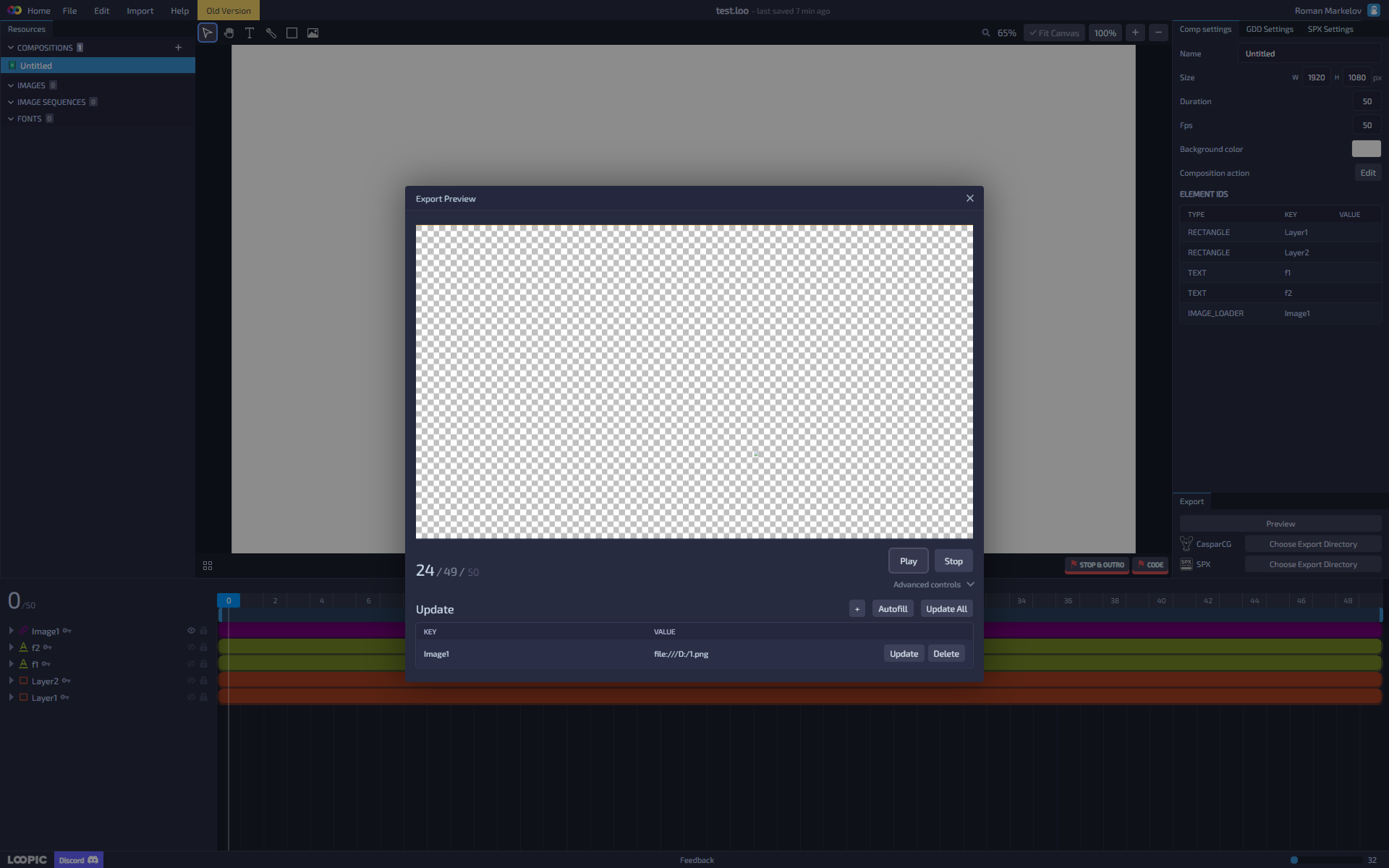
Hello, I just can’t figure out if I can use dynamic images in the image loader? Or is this feature not available yet? That is, I assign a key to the image loader and add this key to the preview and enter the path to the image in the value, but nothing comes out.
---
**Author:**  [@imare](https://casparcgforum.org/u/imare)\
**Post date:** [January 19, 2024, 3:14pm UTC](https://casparcgforum.org/t/loopic-visual-tool-for-creating-casparcg-html-templates/4422/191 "2024-01-19T15:14:34Z")
If you want the background element to be the same size as the text, you need to use Javascript. You can easily find out the real dimensions of the text element with [getBoundingClientRect()](https://developer.mozilla.org/en-US/docs/Web/API/Element/getBoundingClientRect) function for example.
I am working on the new update that will do all of this automatically for you, so to achieve these results, you won’t need any code at all. But we will have to wait a bit for that update to be released.
For masking, I suggest you move the elements you want to mask to another nested composition and then mask that nested composition as you want.
About Google Calendar, please be more clear about what exactly you want to achieve. Note that for old beta projects, you need the old beta app as well ([beta.app.loopic.io](https://beta.app.loopic.io/)).
---
**Author:**  [@imare](https://casparcgforum.org/u/imare)\
**Post date:** [January 19, 2024, 3:20pm UTC](https://casparcgforum.org/t/loopic-visual-tool-for-creating-casparcg-html-templates/4422/192 "2024-01-19T15:20:04Z")
Hi, is this code part of the middleware? If so, which one? It could be possible that updating of the fields is not done in the expected order, therefore text2 content is not set at the time of execution.
The Image loader should be working. Are you testing the template in the browser or CasparCG? And make sure that the image URL is the correct format - [instructions here](https://docs.loopic.io/api/elements/image-loader-element/).
---
**Author:**  [@chandrasekhar](https://casparcgforum.org/u/chandrasekhar)\
**Post date:** [February 11, 2024, 2:04am UTC](https://casparcgforum.org/t/loopic-visual-tool-for-creating-casparcg-html-templates/4422/193 "2024-02-11T02:04:54Z")
i have created braking news template with png sequence animation by giving in the go to frame i am able repeat the animation but my text updating from vb is some time is not synchronizing with template . is there any provision through code , template has to update its current data only when starts animation again but not in the middle of animation . how i can control the template from frontend vb. it may be a basic question or lack of my understanding pl explain me with documents to study to execute it
---
**Author:**  [@imare](https://casparcgforum.org/u/imare)\
**Post date:** [February 13, 2024, 10:03am UTC](https://casparcgforum.org/t/loopic-visual-tool-for-creating-casparcg-html-templates/4422/194 "2024-02-13T10:03:14Z")
All the logic regarding the template executing has to be implemented in the HTML template itself and your client application only needs to fire only play, stop, update (or other) commands.
In your case, if you want to restart the animation when the text gets updated, you should write a custom middleware in the template that will call `goToAndPlay` method on the composition object when there is new data. I recommend you check the [documentation and examples](https://docs.loopic.io/).
---
**Author:**  [@SCAR101](https://casparcgforum.org/u/SCAR101)\
**Post date:** [February 21, 2024, 10:39am UTC](https://casparcgforum.org/t/loopic-visual-tool-for-creating-casparcg-html-templates/4422/195 "2024-02-21T10:39:35Z")
> [@imare](#):
>
> The Image loader should be working. Are you testing the template in the browser or CasparCG? And make sure that the image URL is the correct format - [instructions here](https://docs.loopic.io/api/elements/image-loader-element/).
Hello, I’m testing in a web browser and it doesn’t work there.
---
**Author:**  [@SCAR101](https://casparcgforum.org/u/SCAR101)\
**Post date:** [February 21, 2024, 10:50am UTC](https://casparcgforum.org/t/loopic-visual-tool-for-creating-casparcg-html-templates/4422/196 "2024-02-21T10:50:14Z")
> [@imare](#):
>
> Hi, is this code part of the middleware? If so, which one? It could be possible that updating of the fields is not done in the expected order, therefore text2 content is not set at the time of execution.
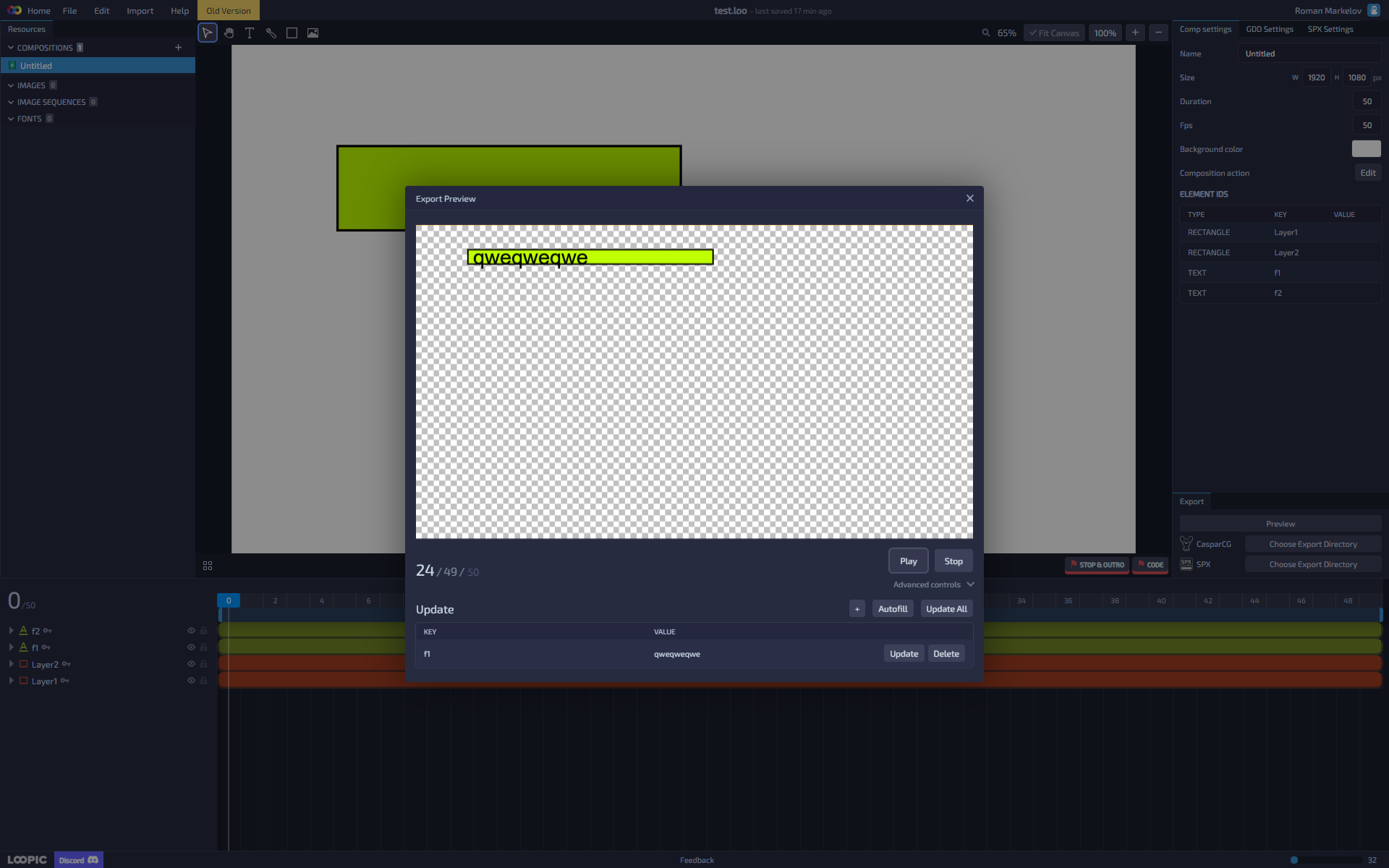
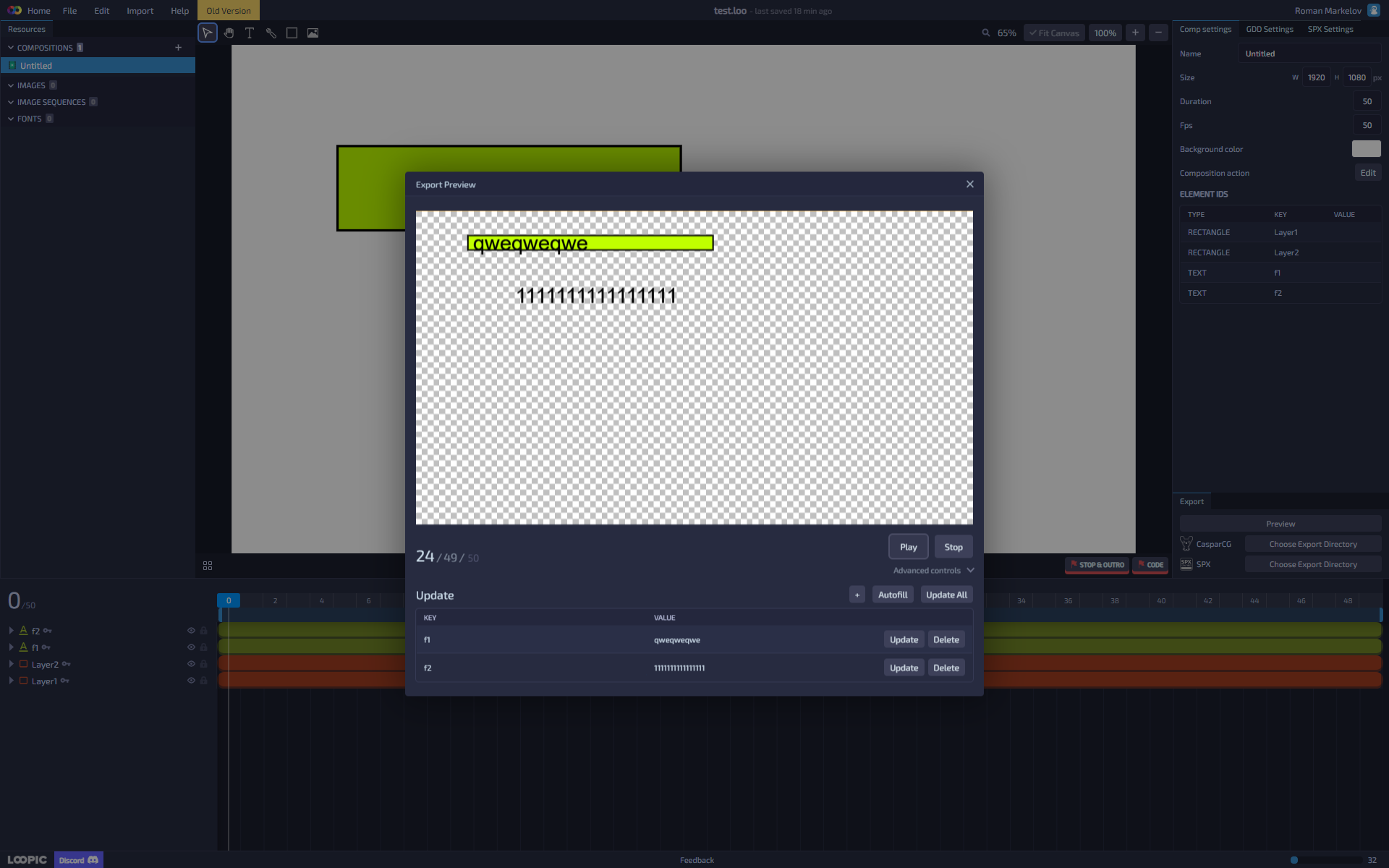
No, I paste this code into the web of loopic in action. As you can see in the screenshots, when adding “f2”, “Layer1” is still drawn, but there should be “Layer2”
---
**Author:**  [@gray1st](https://casparcgforum.org/u/gray1st)\
**Post date:** [March 28, 2024, 12:22pm UTC](https://casparcgforum.org/t/loopic-visual-tool-for-creating-casparcg-html-templates/4422/197 "2024-03-28T12:22:38Z")
I’ve got a small issue, any of my templates that I try to load I am just getting ‘Error occured while loading the project’. I can only get one of my previous templates to load on either the new or old version. Any help would be appreciated
---
**Author:**  [@imare](https://casparcgforum.org/u/imare)\
**Post date:** [March 28, 2024, 3:18pm UTC](https://casparcgforum.org/t/loopic-visual-tool-for-creating-casparcg-html-templates/4422/198 "2024-03-28T15:18:33Z")
Hi, how old are those project files? Are they from the time of the Loopic beta version?
---
**Author:**  [@gray1st](https://casparcgforum.org/u/gray1st)\
**Post date:** [March 29, 2024, 9:37am UTC](https://casparcgforum.org/t/loopic-visual-tool-for-creating-casparcg-html-templates/4422/199 "2024-03-29T09:37:31Z")
> [@imare](#):
>
> om the time of the Loopic beta version?
Yes, I went back to the beta version and they now work… It looks like I will have to spend some time upgrading them to the latest version. Thanks
---
**Author:**  [@bencius](https://casparcgforum.org/u/bencius)\
**Post date:** [May 30, 2024, 6:07pm UTC](https://casparcgforum.org/t/loopic-visual-tool-for-creating-casparcg-html-templates/4422/200 "2024-05-30T18:07:26Z")
Hey there, did anybody managed to control width, height, x and y of rectangle for text field as background and could share a code?
nevermind… leaving answer for myself and other Dora’s the explorers…
```auto
loopic.useOnUpdate("proc1", (key, value, next) => {
const element = this.findElementByKey("proc1");
const rect = element.domNode.getBoundingClientRect();
const el = this.findElementByKey("procbg1");
el.style.width.value = rect.width;
el.style.height.value = rect.height;
el.style.x.value = rect.left;
el.style.y.value = rect.top;
});
```
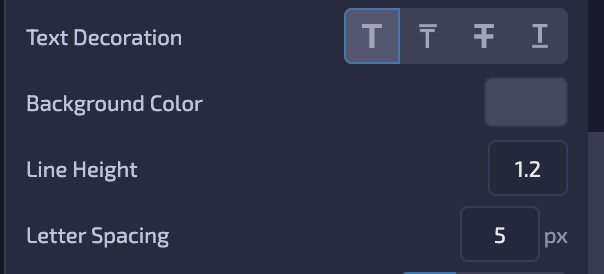
Update:
Noob me… 🙂
---
**Author:**  [@imare](https://casparcgforum.org/u/imare)\
**Post date:** [June 1, 2024, 10:40pm UTC](https://casparcgforum.org/t/loopic-visual-tool-for-creating-casparcg-html-templates/4422/201 "2024-06-01T22:40:47Z")
That code looks good, but I have just one small note: from [Loopic 2.0](https://docs.loopic.io/blog/loopic-2.0-release-notes#text-element-improvements) you don’t need to use the `getBoundingClientRect` method - you can directly read `width` and `height` properties from the auto-sized Text element’s style object.
---
**Author:**  [@ColorBar](https://casparcgforum.org/u/ColorBar)\
**Post date:** [June 5, 2024, 4:25am UTC](https://casparcgforum.org/t/loopic-visual-tool-for-creating-casparcg-html-templates/4422/202 "2024-06-05T04:25:46Z")
@imare how to translate existing programs in loopic old into loopic 2.0?
example loopic old (making scale animation (zoom in)):
const BG = loopic.getElement(“BG”);
// animasi background
anime({
targets: BG.domNode,
opacity: [0, 1],
scale: [0, 0.5],
duration: 500,
easing: ‘linear’,
});
i am still learning the programming structure in loopic 2.0.
thank you in advance…
---
**Author:**  [@7sorkr](https://casparcgforum.org/u/7sorkr)\
**Post date:** [August 19, 2024, 8:27am UTC](https://casparcgforum.org/t/loopic-visual-tool-for-creating-casparcg-html-templates/4422/204 "2024-08-19T08:27:59Z")
Loopic supports importing images sequences in PNG, JPG, and WebP formats.
Loading the sequence with **webp** is faster.
### Transparency
WebP and PNG support transparency, making them ideal for graphics and logos requiring a transparent background. However, WebP offers better compression for transparent images, resulting in smaller file sizes.
> **[WebP Vs. PNG: Which Image Format is Right for Your Website?](https://seahawkmedia.com/compare/webp-vs-png/)**
>
> Trying to decide between WebP vs. PNG? This comprehensive article will help you choose the ideal format for your website. Read about WebP vs PNG now!
---
**Author:**  [@MarceloCarvalho](https://casparcgforum.org/u/MarceloCarvalho)\
**Post date:** [September 30, 2024, 7:58pm UTC](https://casparcgforum.org/t/loopic-visual-tool-for-creating-casparcg-html-templates/4422/206 "2024-09-30T19:58:53Z")
I’m using Loopic and it’s really good and easy to use. But now I’m facing a problem and I don’t know how to solve it, I really need some help. I have a CG that has two bars where the text will be displayed, and I would like these bars to be responsive according to the size of the text.

---
**Author:**  [@imare](https://casparcgforum.org/u/imare)\
**Post date:** [September 30, 2024, 8:54pm UTC](https://casparcgforum.org/t/loopic-visual-tool-for-creating-casparcg-html-templates/4422/207 "2024-09-30T20:54:30Z")
Let’s focus on the bottom bar (but the same applies to the top as well).
You can split the bar into 3 sections: “start” element, text background (repetitive element), and “end” element. The “start” and the “end” elements are “decorative” elements here, with fixed sizes, while the text background needs to adapt to the width of the text.
The idea here now would be to set the Text element in Loopic to be auto-sized, and after its content is received and the text is updated, set the width of the background element to be the same as the width of the text element (or larger because of padding). And then reposition the “end” element by changing its X value.
If you haven’t already, check the Examples section in the documentation, it will give you some code ideas.
---
**Author:**  [@MarceloCarvalho](https://casparcgforum.org/u/MarceloCarvalho)\
**Post date:** [October 1, 2024, 1:15pm UTC](https://casparcgforum.org/t/loopic-visual-tool-for-creating-casparcg-html-templates/4422/208 "2024-10-01T13:15:58Z")
I think I understand your idea, I’ll give it a try and get back to you whether I’m successful or not.
Thank so much for your time!!!
[Previous page](https://casparcgforum.org/t/loopic-visual-tool-for-creating-casparcg-html-templates/4422.md?page=9)
[Next page](https://casparcgforum.org/t/loopic-visual-tool-for-creating-casparcg-html-templates/4422.md?page=11)