We have been testing this with a client in Australia back and forth during the winter and it works reliably for them now. I haven’t had time to backport the final fixes to the upstream main branch, but I can do that and create a PR within the coming weeks.
The TL;DR on how to use this: Send an APPLY command to the channel / consumer using a specific decklink device. In that command, you specify that you’re providing an OP47 payload and the WST packets that you want to embed (base64 encoded), separated by space. Something like this:
Hi, thank you. I was able to build the wintv-vanc branch of nxtedition’s CasparCG and use the demo client on it. However I’m not sure if the data is actually in the SDI output, as I was not successful with getting any VANC data back from (externally looped) SDI input using ffmpeg, or ffmpeg+ccextractor and I am not sure how to figure out if the data are actually not there or my testing is wrong. How do you go about testing the output signal?
Now that you mentioned that branch, I realize that the casparcg branch referenced in the demo repo doesn’t have the final fixes , I made that demo before things settled on the casparcg side. I’ve updated the README now, and the “correct” casparcg branch is this: GitHub - nxtedition/casparcg at fix/decklink-vanc-parity
But to answer your question. I also loop back the SDI signal as an input on the same machine, but I use klvanc-tools to analyze the vanc data of the SDI input. But again, you not seeing any data with your test setup could just as well be that that casparcg branch doesn’t work properly after all.
Thank you for putting time and effort into this. Unfortunately it still doesn’t work for me (testing with original DeckLink 4K Extreme). And now using klvanc tools, the klvanc_capture doesn’t show anything from Caspar (using the fix/decklink-vanc-parity branch), but shows everything when sending from klvanc_transmitter. Caspar doesn’t show any related errors. On init shows [info] DeckLink 4K Extreme [1-1|1080i5000] DeckLink hardware supports VANC.The APPLY command executes successfully, trace log level doesn’t reveal anything more. Should I maybe try using different version of DeckLink DesktopVideo? I don’t really know what version I started with, but during testing, I updated to the newest - 15.3.1
Can you post the decklink related config and the APPLY command your using?
Also, what do you mean that klvanc_capture “doesn’t show anytning”? Do you mean that it doesn’t show any vanc data, or that it doesn’t detect an input signal at all?
I think the minimal Desktop Video version is 12.3 for the vanc api that caspar is using.
also tried with closing <op47-dummy-header> with </dummy-header> like it is in example configuration in casparcg-vanc-demo repo (I knew that wouldn’t help, but wanted to try with exact same config)
tried also with op47-line-field2 instead of op47-line-2, as that is what the option is according to decklink/consumer/config.cpp, result not different
tried command from op-47-client.js (with edit to actual contained text)
Are you sure you’re capturing the correct connector? I’ve never used the -M option, but I have to specify -i 1 for instance to select the connector that I’ve looped back the signal to. I also need to have one level of “verbosity” using -v
So, the complete command I run is ./klvanc_capture -i 1 -v. With that it captures without problem, I get output like this:
The <op47-dummy-header>… </dummy-header> is a typo, you are of course correct in that it should be closed with </op47-dummy-header>
I noticed another issue with the example in casparcg-vanc-demo. To configure the line for field 2, the correct element is <op47-line-field2>, not <op47-line-2>. But that should not affect anything other than you not getting vanc packets on field2, you should still get them on field1.
I don’t need to specify input because there is only one working DeckLink in that computer, so when it defaults to -i0 it opens the only input.
The CasparCG outputs into the output of the same card, SDI from that goes to bmd VideoHub (also tried connecting directly) then from there it is going to one of our multiview inputs and also back to the same DeckLink card. When CasparCG is running I can see its output on the multiview, when I run the APPLY command I don’t see any packets with klvanc_capture, situation doesn’t change when running it with -v. Using the same device, running klvanc_transmitter -d0 -m Hi50 -M ../vanc-packets/klvanc_transmitter.cfgI can then see its output on the multiview and if I send any of the provided packets, I can immediately see them on the klvanc_capture.
I’m starting to think, since you mentioned that this VANC implementation’s minimum desktop video version is probably 12.3, the problem might be that the card in my test machine is just too old and maybe doesn’t support it. The card came out in late 2012 and desktop video 12.3 is from early 2022. (The reason I didn’t try it with a newer card yet is that I’d have to take it from a PC in production).
So it was indeed the old card that was the problem. Tried with current DeckLink SDI 4K and it started to work immediately. Now I only have to figure out how to properly encode Czech characters (ěščřžýáíé). Thank you again for everything!
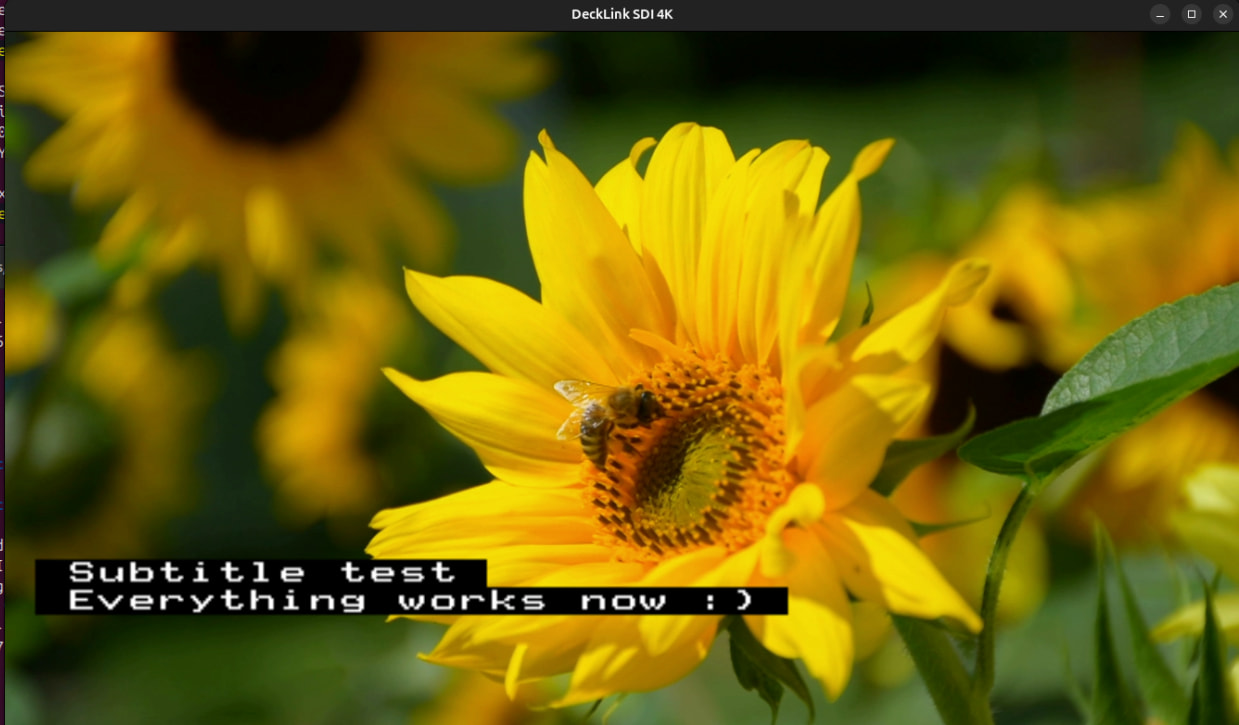
And if anyone wants to view the signal with the op47 titles, you can do so with ffplay if you have ffmpeg configured with --enable-libzvbi and –enable-decklink - e.g. ffplay -f decklink -teletext_lines all -i “DeckLink SDI 4K”
A side data mixer and 608/708 pipeline have been built and are currently ready for review/merge that allows passing captions from the input SDI or ffmpeg producers to the output.
Ffmpeg now has what we need for mcc and mxf file support also. I would be willing to sponsor efforts to finish merging this and a few other stability and bug fixes into a new release.
 , I made that demo before things settled on the casparcg side. I’ve updated the README now, and the “correct” casparcg branch is this: